

Some links in this article are affiliate links. If you buy through them, dramzz may earn a small commission at no extra cost to you.
A new laptop needs more than an unboxing before it is ready to use. If you want to buy a software licence in the UK without overpaying or ending up with something that will not activate, it helps to know what you need and how a digital licence shop works. I opened SoftZone directly to check what it sells before writing this.
A note on what SoftZone actually sells: its range is almost entirely antivirus suites, VPN apps, backup tools, PDF editors, password managers and parental control software, sold as digital licence keys, rather than Windows or Office licences specifically. Microsoft is listed as a brand, but its product page currently shows nothing in stock. The licence-type explanation below focuses on how device-count and subscription-length licences work generally, rather than the Windows retail-versus-OEM distinction, since Windows is not part of SoftZone‘s current range.
1. An antivirus or internet security suite
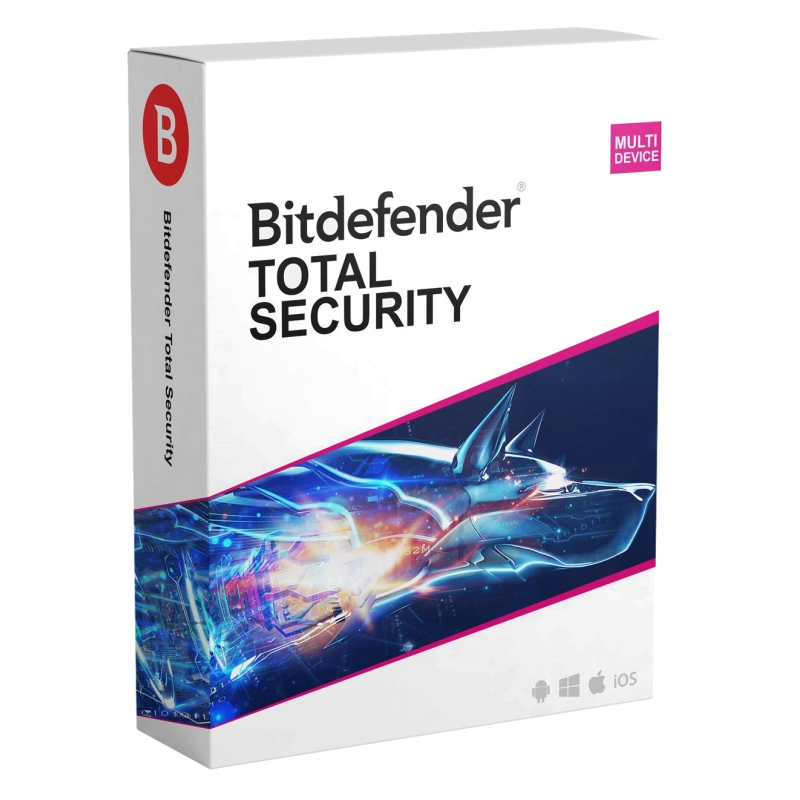
This is the one piece of software worth installing before anything else. Bitdefender Total Security covers five devices for a year and bundles ransomware protection with a limited VPN allowance, listed on SoftZone at €49.90.
Why it made the list: covering several devices under one licence suits a household with a laptop, phone and tablet.
Honest drawback: the price shown was in euros, not pounds, so convert and double-check before buying. [VERIFY PRICE]
2. A VPN for public wifi
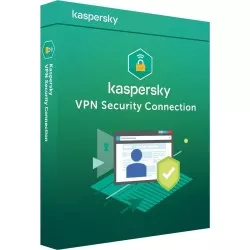
If you work from cafes, trains or shared accommodation, a VPN is worth installing before you need it. Kaspersky VPN Secure Connection, five devices for a year at €16.00, is one option. Its product page also stated support is in Spanish only.
Why it made the list: a VPN tied to a security brand you likely already use is one less separate account to manage.
Honest drawback: Spanish-only support is a genuine limitation for UK buyers who hit a problem.

3. A backup or cloud recovery tool
A new laptop is the easiest time to set up automatic backups, before it fills with a year’s worth of irreplaceable files. SoftZone lists backup software from brands including Acronis, though I could not confirm a current GBP price for a specific plan. [VERIFY PRICE]
Why it made the list: backup software is the kind of thing nobody buys until after they lose something.
Honest drawback: it is also the easiest item here to skip, since the benefit is invisible until you need it.
4. A password manager
Reusing passwords across accounts is still common, and a password manager is one of the simplest fixes. Several SoftZone antivirus suites, Bitdefender’s range included, bundle a basic password manager into their security tiers rather than selling it separately.
Why it made the list: bundling it into a suite you are already buying removes the excuse not to use one.
Honest drawback: a bundled manager is often more basic than a dedicated app, so check what is actually included.
5. A PDF editor
Scanning, signing and editing PDFs comes up more often on a personal laptop than expected, from tenancy paperwork to school forms. SoftZone lists PDF editing software as one of its core categories.
Why it made the list: a PDF editor licence is cheaper than most assume, and saves exporting to awkward formats.
Honest drawback: free PDF readers already cover basic signing for many people, so this only pays off if you edit or merge documents regularly.
How licence types actually work
Rather than retail versus OEM, which applies to boxed Windows and Office copies, the licences SoftZone sells are structured around two things: how many devices are covered, and how long the subscription runs. Kaspersky’s own support pages explain a licence key activates on a set number of devices for a fixed period from first activation, and should only be entered through the app’s own licensing panel or the official My Kaspersky portal, never a third-party activation tool. The same principle, device count plus a time-limited term, applies across most antivirus, VPN and security software sold this way.
SoftZone‘s delivery, activation and refund policy
According to SoftZone‘s own shipping and payment page, licences are normally delivered by email in under 20 minutes, stretching to around three hours on weekends and holidays. Once a licence is registered to your account with the publisher, SoftZone states it steps back, and ongoing support comes from the publisher rather than the shop. Its terms and conditions are direct about returns: once loaded to your account, a licence cannot be returned, since the activation code is now known to you. Be certain of the exact product and device count before paying, not after.
How to check a licence is genuine
Publishers are consistent here: only activate through the application itself or the publisher’s own official portal, never a third-party key generator. Kaspersky’s own guidance sets this out for its products specifically, via the in-app panel or my.kaspersky.com. Microsoft’s “How To Tell” guidance on counterfeit software is worth bookmarking too, even if you are not buying Microsoft from SoftZone right now, since the same instinct applies everywhere.
Honest drawbacks before you buy
SoftZone‘s English-language pages default to euro pricing, not pounds, and did not consistently show GBP when I checked, so confirm any figure at checkout. Support on at least one product was stated as Spanish-language only. And because licences cannot be returned once delivered, there is no safety net if you choose the wrong device count or duplicate one you already own.
Good to know
Price range: from around €16.00 for a VPN licence to around €49.90 for a multi-device security suite, based on prices shown on SoftZone‘s site in euros.
Where to buy: SoftZone.
Delivery and returns: licences are delivered by email, typically within 20 minutes; licences cannot be returned once activated or loaded to your account.
Takeaway
Buying a software licence in the UK safely comes down to two habits: activate only through the publisher’s own app or portal, and treat the purchase as final the moment the code is revealed. SoftZone‘s range leans heavily on antivirus, VPN and utility software rather than operating systems, so match your expectations to that reality first.